Everything you need. Nothing you don't.
Built for technical reviewers who need speed, clarity, and zero noise.
Beautiful Markdown
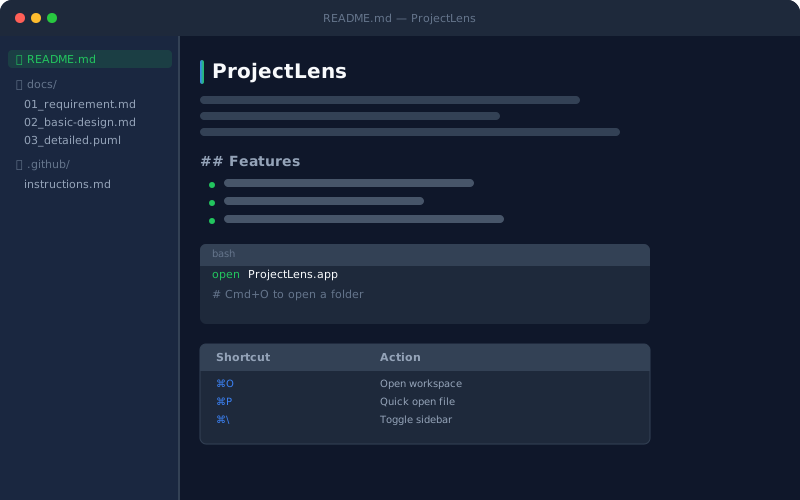
Full GFM rendering — headings, tables, syntax-highlighted code blocks, task lists, and images. Designed for extended reading.
PlantUML Diagrams
Sequence, class, activity, component, and state diagrams rendered as crisp SVGs via the PlantUML server — no local install needed.
HTML Preview
`.html` files rendered as full web previews — perfect for UI mockups, design specs, and generated documentation that ships as HTML.
Filtered Workspace
Show only `docs/` and `.github/` by default — hide `node_modules`, `src`, build artifacts. Configure exactly which folders are visible per workspace.
Keyboard-Driven
⌘O to open, ⌘P for Quick Open, ⌘\ to toggle sidebar, arrow keys to navigate. Power users never need to reach for the mouse.
Dark Mode Only
A single, purpose-built dark theme for focused reading. No light mode distractions — just clean, eye-friendly typography optimized for long sessions.
See it in action
From PlantUML sequence diagrams to instant file navigation.
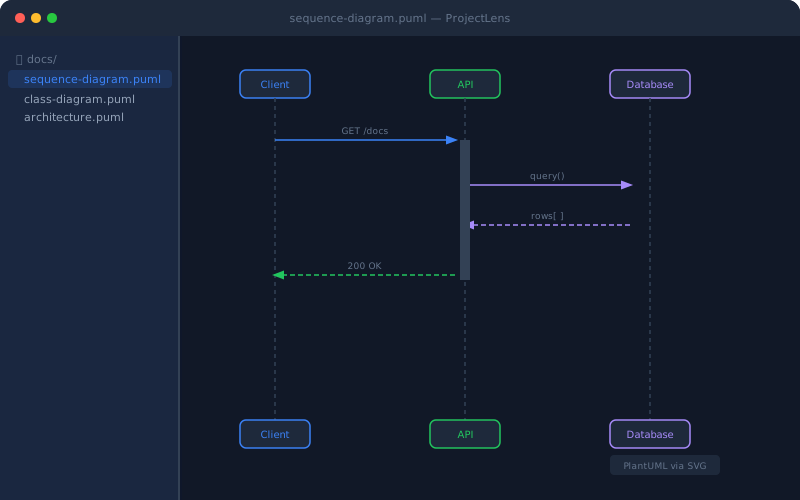
PlantUML → SVG rendering
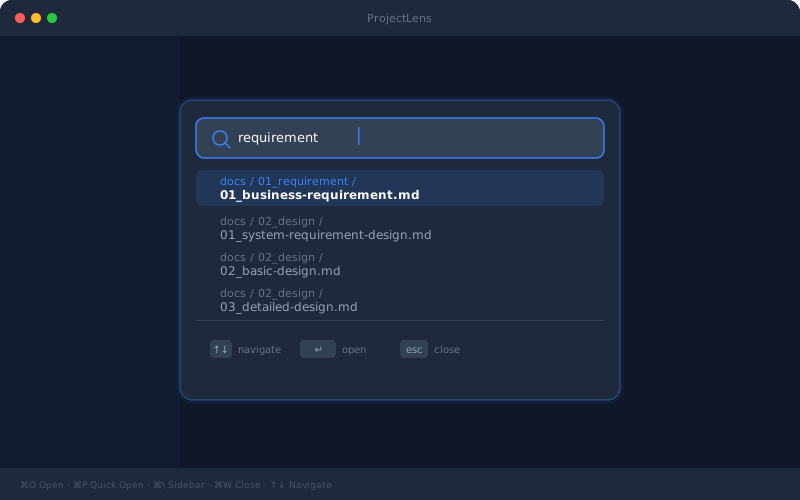
⌘P Quick Open — instant file search